



Guide: How To Structure Your Design Team in 2026

.png)
Key takeaways:
- Over 50% of designers use AI; many teams add subscription services like Awesomic for faster, flexible design support.
- Match team structure to product complexity and size—startups embed generalists; enterprises prefer hybrid with design ops.
- Keep 15–25% capacity free for urgent tasks; plan with intake forms, SLAs, and tools to avoid bottlenecks.
Structuring your design team in 2026 is a complex task, considering the new wave of tiles, tools, and innovations released almost weekly and the subjective nature of creative work. For instance, Figma recently polled 1,800 designers and developers, and more than half of respondents already use Generative AI in their work, with developers using it at a 60% higher rate than designers.
It makes you ask yourself questions such as: how big should your team be? How much should you spend on design? What options do you have available? How best can my team be integrated into the company? What tools do they need?
These questions require deep thoughts and reflection on what your company is trying to build. To help make it simpler for you to discover these answers, here is our guide to structuring a winning design team in 2026.
Evolution of Design Teams
Once upon a time, more well-known as the early 2000s, it was common for design teams to be smaller, often dedicated to niche initiatives rather than being part of a cross-functional operation to revitalize businesses. At that time, designers had one job: to design. It didn’t matter if it was for print, interfaces, or anything else.
Then came the tech revolution and worldwide adoption of the internet, mobile phones, new mass communication channels, and more. Alongside it, a boom in the designer’s environment occurred. Mobile-first approaches, UI/UX optimization, and the overall need to deliver a consistent customer experience through multiple channels got more power.
A byproduct of this transformation was the increased value of specialization in design fields and the further emphasis on cross-functional collaboration between design, marketing, and product. Today, that specialization can mean anything from a dedicated motion designer to the need to hire a 3D designer for immersive product experiences that simply didn't exist two decades ago.
Modern design teams are interconnected and may work on multiple projects from conception to delivery, meaning they are an integral part of the strategy behind a product or service. After the COVID-19 pandemic, a rise in remote work, globalization of talent through outsourcing, and hybrid working models have been seen.
Design teams are now required to move faster, and many designers opt to work from home or anywhere since most of their responsibilities can be handled remotely. Issues with accountability, project planning, and overloading may arise, but these can be avoided.
So here comes the crucial question: how do you structure and empower a modern design team for success?
The most common team structures for design
Option one: centralized teams
In this structure, all designers report to a single manager. This is a great structure for multi-product companies with many competing needs since the manager or director will have a broad overview of everything and be able to prioritize initiatives according to business objectives.
Since the design team is centralized, you’ll have a diverse set of skills at the fingertips of the project manager, consistent design, and a better chance to produce high-quality creatives systematically.
While this is a great structure that can work for many companies, it’s important to also understand the possible drawbacks. If there are organizational issues, decision-making may take too long, and cross-functional collaboration will be a challenge.
Option two: decentralized teams
Another common option is to have a designer embedded within a product team. The designer will take on the requests of each team member and have a more active say in strategy since they will be collaborating directly with the marketers, developers, and product managers.
This leads to more creative ideas, better cross-functional collaboration, and faster feedback and iteration cycles. As a result, the decision-making process is sped up, and information silos are rare.
The drawbacks of this approach are that with a central vision or leader, the quality and consistency of the UX can become consistent between products. So, this is better suited to companies with less complex offerings.
Option three: Hybrid/Matrix teams
.png)
A third option that companies are moving towards is the hybrid approach, which allies the benefits of both previously mentioned options by having a centralized leadership but embedding designers within product teams.
This is a very effective team structure for fast-growing companies, as it allows for the flexibility of decentralized teams while maintaining centralized quality control. Another attractive advantage of this option is that it’s perfect for outsourcing efforts and design subscription services.
This option allows you to have a design leader who prioritizes and distributes design tasks to embedded designers within other teams. The main drawback of this option is finding the right leader to handle this responsibility and finding the right talent to be embedded with the teams.
Awesomic matches companies with top-class designers and creative talent with industry expertise in 24 hours, based on tasks. This could be a solution if you have tasks to finish but don’t know who would be the best professional to drive them to success.
Who do I hire — roles, seniority, and how many?
When building your product design team structure in 2026, getting the right people on board is key. You’ll learn how to pick core design team members first, when to add specialists, and how to plan your team size based on company stage.
Plus, we’ll share practical tips on using Awesomic to keep things running smoothly while hiring or handling overflow work.
Core roles: The backbone of your design team structure
Start with these essential roles. Each covers a critical part of design work, and knowing when to hire them is crucial.
- Product Designer: Handles research, prototypes, and shipping UI. For startups, hire this role first. Watch for rising backlog, missed deadlines, or frequent redesigns as signals to bring one in.
- UX Researcher: Runs user studies and usability tests, plus builds recruitment pipelines. Add them once you need deeper user insights.
- UI/Visual Designer: Crafts visual systems, motion, and polished screens. Hire when your brand or product needs stronger visual direction.
- Design Systems Lead / Design Ops: Owns component libraries, tooling, and design governance. They keep your design consistent and scalable.
- Design Lead / Manager: Guides the team with coaching, recruitment, and setting priorities, essential as your team grows beyond 5 people.
Here's a quick rule: if you find yourself overwhelmed with small design tasks or inconsistent quality, it’s time to hire or use Awesomic to fill the gaps. We offer fast matches for product and visual design, motion, copywriting, and even short-term dev or QA support. Use Awesomic to keep output steady while you recruit permanent hires. Plus, our unlimited revisions and rematch options cut onboarding pain.
When to add specialized roles
Sometimes your project needs extra skills that core roles can’t cover. Think accessibility experts, motion designers, content writers, illustrators, or video editors.
Current trends show illustration requests are booming, especially for marketing campaigns. AR/VR roles are rising too, driven by interactive brand experiences. And as immersive content becomes the norm, more teams are looking to find a 3D animator through Awesomic to bring motion and depth to campaigns without committing to a full-time hire.
For these occasional needs, use Awesomic to trial or cover specialized work before hiring full-time. We cover 30+ skill sets like motion, copy, no-code, AR-adjacent work, and QA. This lets you stay flexible without long-term commitments.
Sample staffing plans for different company sizes
Here’s an easy guide to how many and which design team roles to hire at each stage:
- Startup (1–10 people): 1 to 3 generalists who handle product design and part-time visual work. Use contractors or Awesomic for motion and 3D.
Awesomic tip: Keep 1–2 generalists in-house and rely on a monthly subscription to cover visuals, landing pages, copy, and quick Webflow jobs. Matches happen within 24 hours, so you scale fast without payroll risk. - Scaleup (10–50 people): Mix product designers—about one per 1 to 3 teams—plus one design ops, one design systems lead, and a shared researcher.
Awesomic tip: Use Awesomic for overflow sprints, marketing campaigns, and focused Webflow or Framer builds. Consider our all-in-one plans for consistent monthly help. - Enterprise (50+ people): Functional leads, full design ops team, dedicated research squad, design systems team, and accessibility owner.
Awesomic tip: We serve as a long-term creative channel for marketing and local campaigns. Plus, our 4,000+ customer base and 4.8 to 4.9 star ratings make vendor approval smoother.
Capacity and hiring rules of thumb
Keep these ratios in mind:
- One design ops per 8 to 12 designers
- One design systems owner per 20 to 50 product designers
- Designer-to-engineer ratio varies: early-stage is roughly 1 designer for every 4 engineers; mature product teams aim for 1:2 or even 1:1 if UI is complex
If your design workload mostly involves small-to-medium tasks like landing pages or updates, compare hiring cost against Awesomic subscription plans ($499 to $2,995 monthly). Often, using subscription design talent is more cost-effective than jumping to hire full-time.
Hiring signals and job brief essentials
Watch out for these signs you need to expand your design team: growing backlog, missed deadlines, inconsistent UX, and high rework rates. Also, track recurring small tasks like 10 to 20 landing pages a month—these indicate a subscription plan could save time and money.
When writing job briefs, focus on outcomes, weekly deliverables, collaboration, and tools used. For contracts or subscription-based work, include clear acceptance criteria, links to Figma or product docs, and preferred communication channels such as Slack or email. This clarity speeds up delivery and lets you request rematches if needed.
Interview tips and trial tasks
For interviews, try time-boxed design exercises plus async critiques to evaluate fit quickly. When working with Awesomic, leverage task history, platform ratings (4.8 to 4.9 stars) and assign a small trial task (1–2 days) to test chemistry. Always keep one active task at a time to focus feedback and results.
With this hiring map, you’ll build a smart, agile design team structure ready for 2026 challenges and growth. Remember, you don’t have to do it all in-house. Use tools like Awesomic to unlock flexible talent and keep your design engine running strong.
Trends in structuring design teams
Crucial roles for a modern design team
Let’s be honest: There is no catch-all design team for every company. The main aspect to consider here is what you need for your company and what role the design team serves in your business.
However, in our experience with startups and tech, we’ve seen that companies can often thrive with their results by employing the following roles.
- UX designer: This is a research-led role where the designer will focus on user research, journey mapping, and wireframing.
- UI designer: This role is more of a producing one, where the designer will focus on visual elements, interactions, and high-quality prototypes.
- Product designer: This person will bridge the gap between UI/UX and product. Their main focus will be on delivering business results goals through design projects.
- Design systems lead: The person responsible for this role will be the leader and ensure a consistent design language across the organization’s teams.
Here, the general rule is to have people in your organization who will handle the research, the visual aspects, the business alignment of the design initiatives, and finally, someone who will ensure consistent quality control and prioritization. The titles may differ for your company, depending on your industry and needs, but that’s what your core content design team needs.
Specialized roles to look out for
We talked about specialization being a new trend in design teams. Here are some of 2026’s most essential roles to look out for:
- Motion designer: With the growing rate of video content and research supporting higher rates of engagement, you may need a motion designer for animated materials and short videos to help drive your business objectives and keep your audience engaged.
- Video editor: Video is not going anywhere. From premium streaming services to YouTube, companies worldwide are exploring ads and organic content to drive business success. Video is all about presentation, so you’ll need a great video editor if you want to explore this market.
- Accessibility experts: Modern audiences show a more lenient attitude towards companies that walk the talk. They prefer companies that demonstrate their values through action. Accessibility experts can introduce you to more inclusive products and services.
- AR/VR designers: AR and VR are not going anywhere anytime soon. Companies like Meta, Apple, and Google are making exponential progress in creating virtual-reality and augmented-reality environments. Leveraging these channels may be valuable to your company, even if not currently. This is a trend to keep an eye on.
- 3D design: It has never been easier to create high-quality 3D graphics, and having an expert will make your content pop compared to competitors’ assets. 3D design can be leveraged in product, web, video design, and more.
.png)
The power of these new technologies is still being explored. Above is a GAP + Barbie activation for a marketing campaign where they used AR to take over Times Square. While these newer roles are trending, according to Design Pickle’s State of Design report, requests for illustrations and vector art have increased by over 400%. So, don’t neglect traditional roles, such as graphic designers and illustrators.
How to structure your design team
To structure your design team successfully, ensure that you have the full context of your company. Analyze the size, budget, and maturity of your design. For instance, larger companies may have one person for each role, while startups may need design generalists who can wear many hats.
As you grow in scale and complexity, so should your design team to support your business’s growth initiatives. One of the key questions you should ask as you scale your team is: would outsourcing be worth it?
Outsourcing can be an interesting proposition for your company. Deloitte’s research shows that companies that outsource successfully enjoy benefits such as better ESG, expanded skill set coverage, and a stronger team with industry expertise.
A crucial aspect of outsourcing is doing it right and exploring all your options, such as design agencies, unlimited design subscription services, and freelancers. Design subscription services will cover most design needs for companies of all sizes. The hard part is picking the one that’ll give you the best experience for the price tag. Check out our guide to make the best choice for your business.
Get ahead of bottlenecks
One of the best ways to understand how to structure your team is to analyze current processes, workflows, and communication. This will help you avoid bottlenecks that block your team from achieving its full potential and ultimately hold back your growth.
The most common pains that a design team has are:
- Communication silos
- Lack of resources
- Constant redesigns and delays
To get around communication silos, you must ensure cross-functional collaboration by actively engaging your team, especially if it’s in a remote or hybrid setting. Open communication in channels, safe environments for criticism and feedback, and positive reinforcement are a must.
Another pain that also affects silos is the lack of resources. These can include workflows, data gathering, or technical requirements such as a particular application, budget, and creative assets. So, ensure your team can request more resources and that communication and approval are done quickly.
Constant redesigns and delays will also negatively affect your team. The steps to prevent these are more related to planning and prioritization. Ensure your vision is clear, provide references, and don’t get too caught up in small details. Your creative team needs the room to be creative.
These small steps will help your creative design team succeed and get you better results in the long run, even if structuring these processes requires more budget.
Actionable steps to better structure your design team
To get the most out of your design team and successfully improve your team’s structure, ensure that you follow these steps:
- Assess the current structure of your team: To assess the structure of your team, you must evaluate roles (who’s doing what), workflows (how it’s being done), and communication (how fast each stage goes). Once you have that report, look through it and improve workflows so that communication will be faster and people will work on crucial tasks instead of having too much back-and-forth.
- Integrate new tools and processes: Processes exist to empower people and maintain quality control. If you have processes in place that don’t, you most likely need to get rid of them. The best way to do this? Talk openly to the people involved. Ensure your feedback cycles are coordinated and frequent. Close the gaps in tools that can empower your team. Beware not to fall into the trap of putting processes above people and spending too much time here.
- Build flexibility in your team: Now that you have the tools, the teams, and the flows, ensure your team has the flexibility to absorb requests and incorporate new tools into their work. You may get a design service like Awesomic to offload time-consuming tasks or work on a complex project your team can’t handle now. Be open to such opportunities, and your team will thank you.
We understand how hard it is to structure a team while trying to grow your company, launch projects, and more. We’re here to help you. Discover how Awesomic’s plug-and-play features can help drive business success through
Enhance your design team with Awesomic
Awesomic provides scalable plans for companies facing creative challenges by matching them with top-class creative talent within 24 hours, be it for a project or product they need to launch, support in their current endeavors, or unlock the potential of their current teams.
More than 4,000 companies have completed over 14,500 creative tasks with Awesomic. Customers love working with Awesomic due to the team’s support, transparent pricing, and rapid iteration. Here’s what some customers had to say about Awesomic:
About Awesomic’s Experience
.png)
Awesomic is, well, as the name suggests, awesome. I've tried other options that are more expensive and gotten worse results, slower turnaround, and worse communication. I don't think there's an option out there that can beat Awesomic for the price point and ease! - Anastasia Medytska, co-founder at Kinship
About Awesomic’s Talent
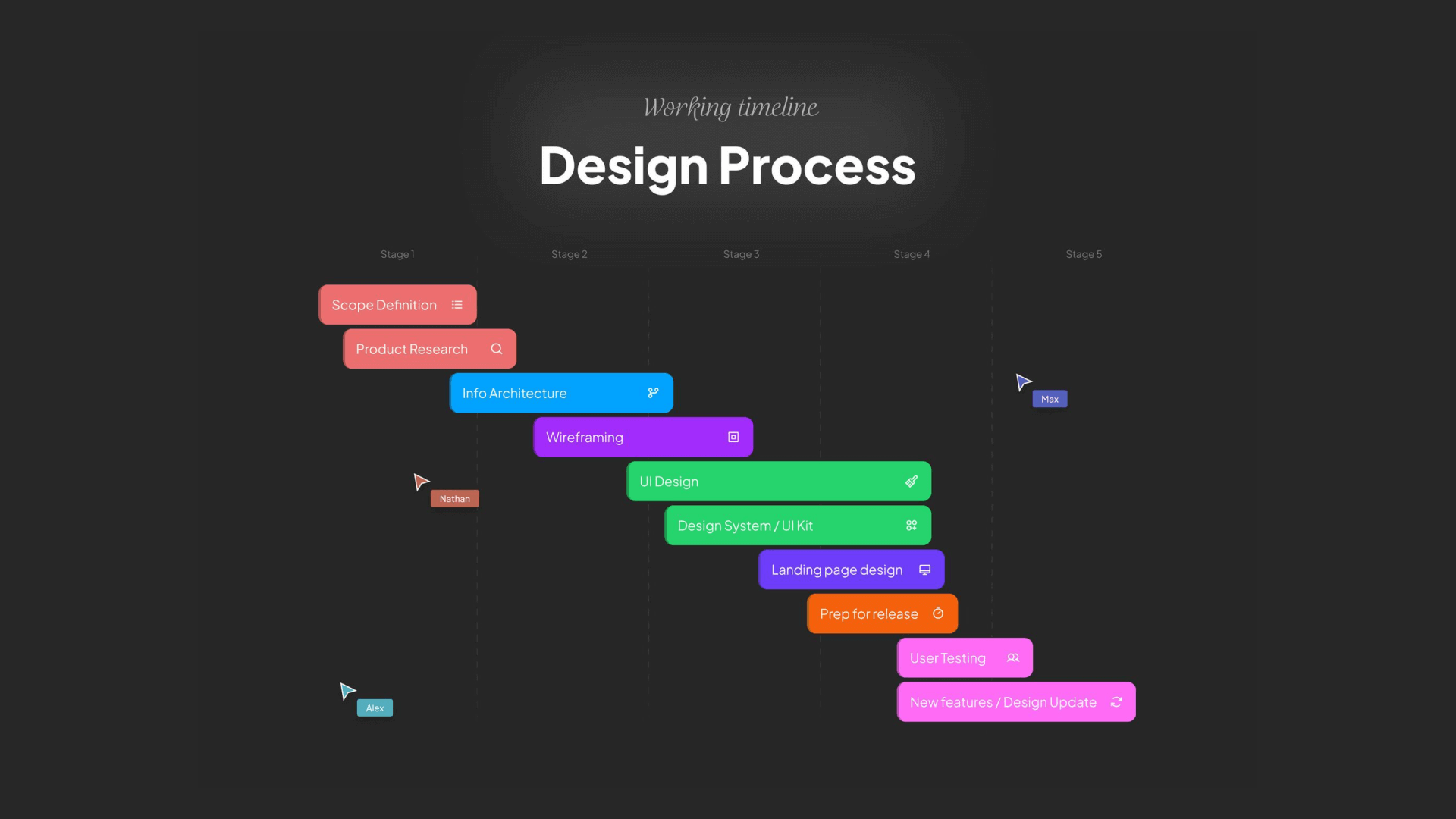
They designed and developed Playhouse’s landing page. Having no in-house Webflow expertise they were the perfect plug-n-play solution. We provided some high level requirements and went live in a matter of days - Nathan Schinder, co-founder at Playhouse
About Aweomic’s Projects
.png)
Awesomic has been the ideal solution for us at Perfekto since we had so many design & UI tasks to complete right away but didn't want to hire an FTE yet. Amazing tool and really great team of designers - Anahi Sosa, co-founder at Perfekto
4,000+ companies trust Awesomic: How about you?
Awesomic has helped companies with projects ranging from simple design tasks to product launches, UI/UX, and end-to-end projects like website migration. Book a demo, and let’s discover which plan can help you the most.
FAQ
How do you decide which design team structure fits your company best?
Look at your product’s complexity and how fast you need to launch new features. Also, consider your team size and design maturity. Smaller teams often start with simple structures, while bigger ones need more coordination. Match structure to growth and product needs carefully.
What roles are essential in a product design team structure?
Start with product designers who handle research and UI. Add UX researchers and design ops as needed. Specialized roles come later, like motion designers or accessibility experts. Hire slowly to keep the team balanced and avoid overlaps.
Can design team members adapt to multiple roles?
Yes. Early teams often need generalists who handle many tasks. This helps flexibility and covers gaps without extra hires. As you grow, define clear roles to improve focus and efficiency. Mixing skills carefully avoids confusion.
How do you keep remote design teams productive without bottlenecks?
Use clear intake processes and set response times for tasks to keep work moving. Regular check-ins and shared tools help sync up remote members. Make sure everyone knows priorities and has access to necessary design assets.
When should a company consider adding external design team members?
Bring in external members like freelancers or subscription services for short-term or overflow work. This saves time on hiring and suits bursts of demand, especially in marketing or fast product launches. Always keep control of core design decisions internally.
One subscription and your hiring problems solved

FAQ


Awesomic is a revolutionary app that matches companies with vetted professionals across 30+ skill sets, from design and development to marketing and product. Based in San Francisco with a global core team, we offer a faster and more flexible alternative to traditional hiring through a subscription-based model. Awesomic delivers high-quality talent on demand, without the delays of recruiting.
We function as a subscription-based service that matches you to top-tier, vetted talent. Submit a project in just a few clicks and start receiving deliverables in as little as 24 hours. Scale your Awesomic plan up or down as your business needs change.
Every Awesomic subscription comes with unlimited revisions. You receive daily progress updates via the app, and you can provide feedback or request iterations as needed. If your project requires a different approach, you can request a talent rematch at any time, at no extra cost. You can also add teammates to collaborate and streamline feedback
A talent marketplace is a platform that utilizes data and intelligent matching algorithms to connect professionals with projects based on their skills, experience, and availability. While often used internally by large companies, Awesomic applies this model at scale, matching vetted global talent to your most critical business needs.
Hiring is time-consuming, expensive, and risky. Awesomic eliminates that problem. We rigorously vet all talent for technical ability, communication, and soft skills, ensuring only senior-level professionals work on your projects. You skip the job posts, interviews, and delays, and get straight to results.
No, Awesomic goes beyond design. While many clients utilize us for branding, UI/UX design, or motion graphics, we also provide vetted talent in no-code web development, product design, marketing, and more. Think of us as an extension of your team. A flexible, high-performing creative partner from planning to execution, whether you're building awesome products or scaling your team.
You can talk directly with your matched talent via the Awesomic app, connect via Slack, email, or schedule video calls. No matter the plan, you’ll receive daily updates in the app for every active task. You can also tag us in for any issues through our in-app customer chat.


